
Formula starter template — free Excel, no signup
Free formula starter template in .xlsx. A spreadsheet with example formulas to build on. Open it in the browser, edit locally, download — no account, no upload.
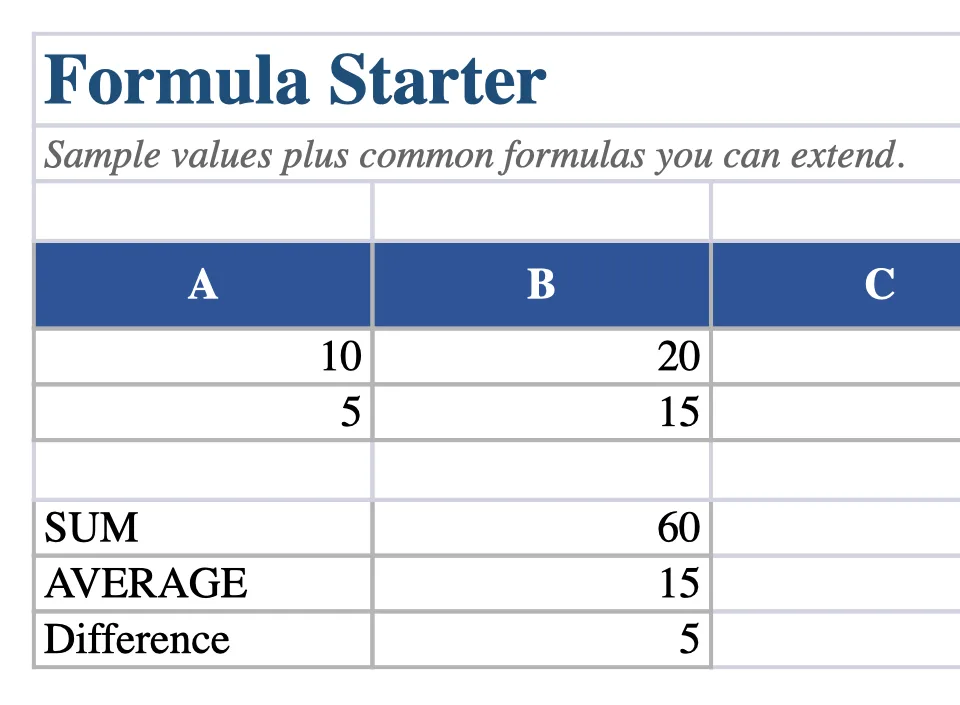
What is inside the workbook
| Sheet | Rows | Columns | Formulas | First columns |
|---|---|---|---|---|
| Formulas | 10 | 4 | 3 | A, B, C, What it does |
What is inside the file
One sheet · 10 rows · 4 columns · 3 formulas. The first row uses these columns: What it does. Everything is plain cells and formulas — no macros, no add-ins, no external links.
How to use it
Open the template in the editor, replace the example rows with your own values, and keep the formulas where they are. Download the .xlsx when you are done. If you only need a quick change, you can also download the file and open it in Excel, LibreOffice Calc, or Google Sheets.
When this template fits
Use it for you want a working example of formulas rather than a finished tracker — for example, learning SUM, AVERAGE, IF, or COUNTIF on a small safe file. It is a starting structure, not a finished accounting system.
What it does not do
This workbook does not include pivot tables, conditional formatting, data validation, sheet images, or password protection. Those features are outside what the browser editor supports, so the template stays deliberately simple. For a model that depends on them, use desktop Excel.
Frequently asked questions
Is the formula starter template free?
Yes. The .xlsx file is free, there is no account, and no email gate. You can open it in the browser editor or download it and use it in Excel or LibreOffice Calc.
Do I need Microsoft Excel or Office 365?
No. You can edit the file in the browser and download it again as .xlsx. Excel is only needed if you want features the browser editor does not support, such as pivot tables or macros.
Does the file get uploaded to your servers?
No. The document is processed in the browser tab. Optional recent files stay in this browser profile, and clearing site data removes them.
What is in the workbook?
One sheet · 10 rows · 4 columns · 3 formulas. Sheet: Formulas. You can rename sheets, add rows, and change labels without breaking the layout.