
Open evidence · Updated 2026-07-16
DOCX Compatibility Lab
A reproducible baseline for checking what survives when a Word document opens in EditDocx. Download the exact input, repeat the checks, and report a different result.
Method
- Download the fixture below and keep an untouched copy.
- Open it in EditDocx, inspect each visible feature, and make one text edit.
- Download as DOCX, reopen the output, and compare it with the input.
- Record loss, substitution, or layout movement instead of hiding limitations.
“Pass” means the feature is available in the tested workflow, not pixel-identical rendering in every Word version, operating system, or installed-font set. This first published run records import and browser rendering; an automated exported-package comparison is still pending.
Public fixture
EditDocx compatibility baseline
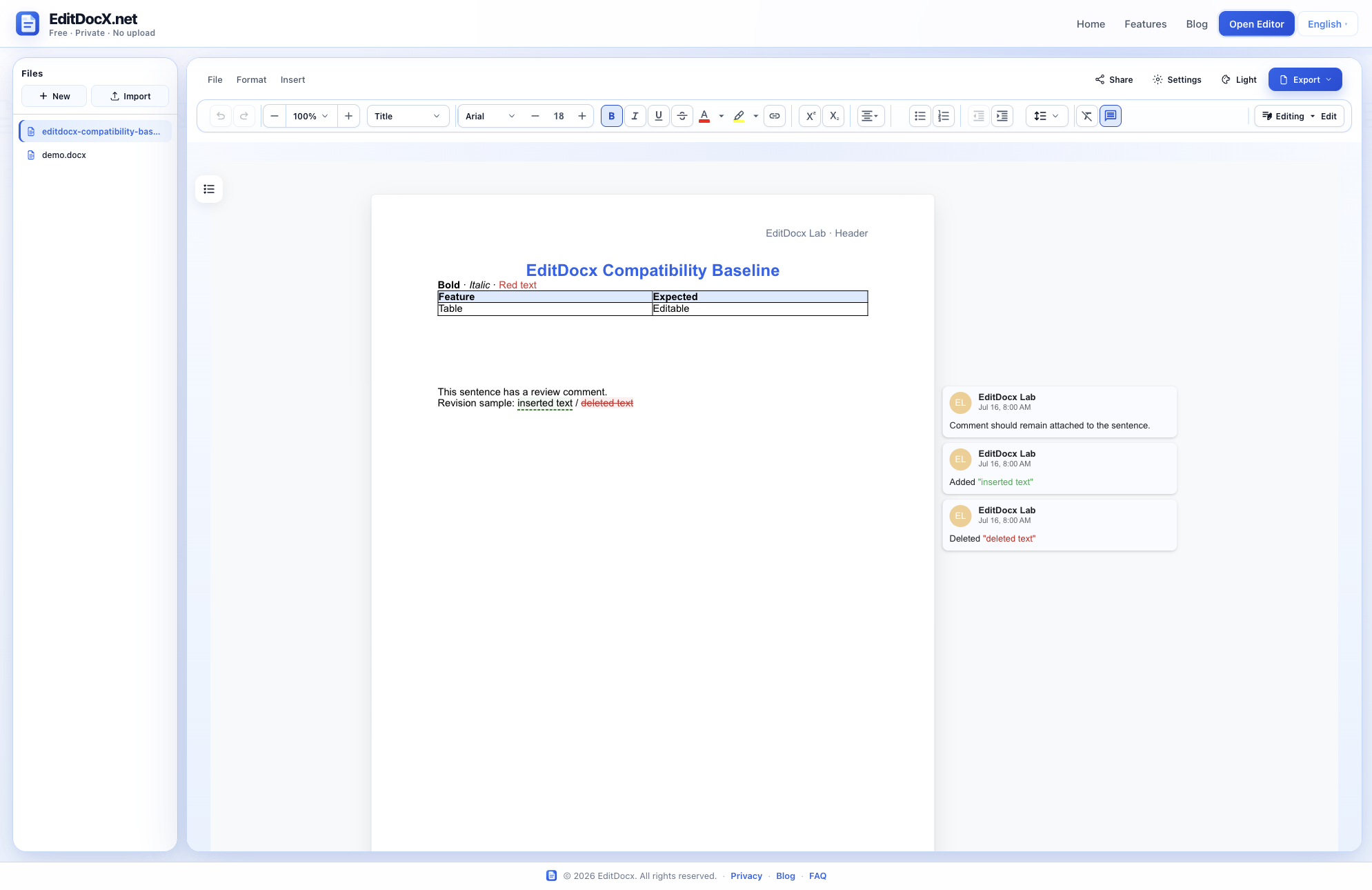
A small DOCX containing styled text, a table, an embedded image, a header, a footer, a comment, and tracked insert/delete revisions.
SHA-256: 26bdee56fbbd33eeaf44f73e90502eb2626414a80a9d33eeab9e87225dc3e5d9Results
| Feature | Result | Observation |
|---|---|---|
| Paragraph text and direct formatting | Pass | Bold, italic, color, size, and alignment remain editable after import. |
| Tables | Pass | The 2 × 2 table opens with cell text, borders, and header shading. |
| Inline images | Partial | The PNG remains in the DOCX package, but it did not render in the 2026-07-16 Chromium test run. |
| Headers and footers | Pass | Header and footer text render in their page regions. |
| Comments and tracked revisions | Pass | The comment and tracked insertion/deletion are available to the review workflow. |
| Exact font metrics | Partial | Font names are retained, but browser font availability can substitute glyphs and change line breaks. |
Captured test run
Known product boundaries
Charts, SmartArt, OLE objects, macros, and password-protected DOCX files are outside the supported editing scope. Complex enterprise templates should be verified in desktop Word before replacing the original. Browser font substitution can also change pagination even when the font name is preserved.
Reproduce or challenge the result
Use the fixture digest to confirm that you tested the same input. If a row behaves differently, send the browser, operating system, result row, and exported DOCX to [email protected]. Do not send a private document.
Run the fixture yourself
Open the editor, import the public fixture, make one edit, and download the result.
Open Editor — It's Free